


 Deutsch
 Português
How to Find a Lost Drone: Best Method of Finding a Drone
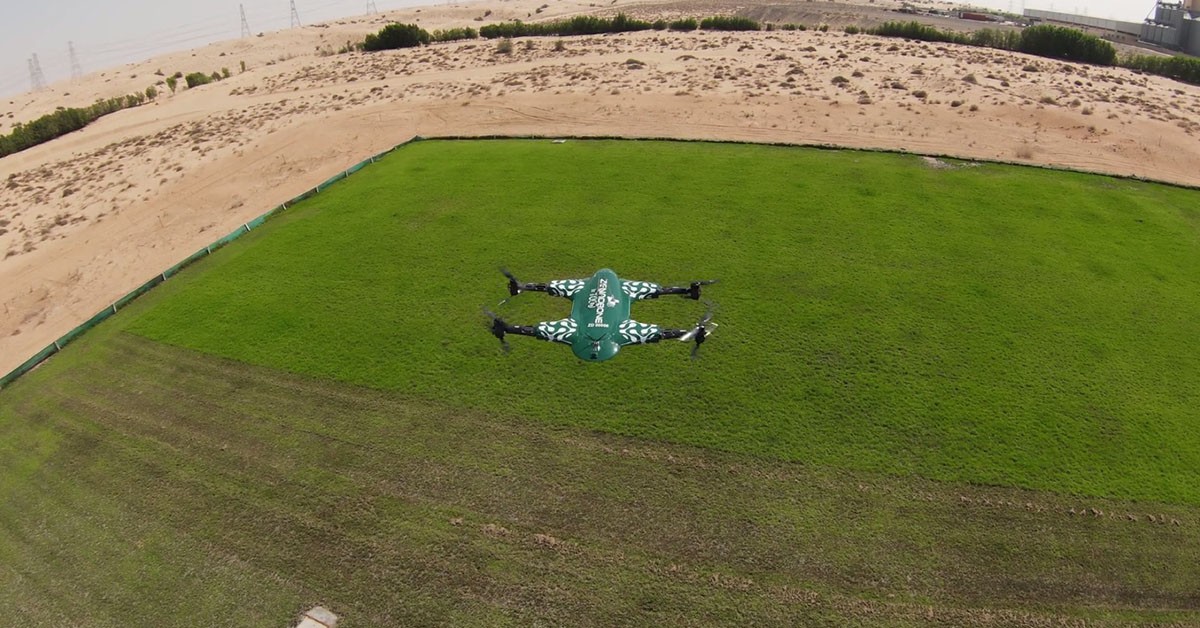
Losing a drone can be stressful, especially when you do not know exactly where it landed. Maybe the battery died, the connection dropped, strong wind pushed it away, or the drone simply disappeared from view. The good news is that a lost drone is not always gone for good.
If you act quickly, you may be able to find your drone using its last GPS location, flight logs, controller data, a tracking app, or even the final video recorded before the connection was lost.
Even if your drone does not have GPS or a separate tracker, there are still practical ways to search for it.This guide explains how to find a lost drone step by step and what to do if the drone has lost power, disconnected from the controller, or flown away.
If you are trying to find a lost drone without a tracker, start with the last location where it was visible. Reviewing saved camera footage, checking the controller signal, and searching nearby landmarks can help narrow down the possible landing area.
What Should You Do Immediately After Losing a Drone?
The first few minutes can make a big difference. Do not immediately leave your takeoff position and start walking randomly. Instead, collect as much information as possible while it is still available.
Start with these steps:
1. Keep your controller and drone app turned on.
2. Check the map for the drone's last known position.
3. Take a screenshot of the coordinates or map.
4. Check the last recorded altitude and flight direction.
5. Review the live-view screen or cached video.
6. Try reconnecting to the drone.
7. Listen for motors, alarms, or beeping.
8. Note landmarks near the last known position.
If the drone still has power, maintaining the controller connection may help you narrow down its location.
How to Find a Lost Drone Using GPS?
If your drone has GPS, start there. Many modern drones record their position during flight. Depending on the drone and its software, the companion app may display the aircraft's current or last recorded location on a map.
1. Check the Last Known GPS Location
Open the app you were using during the flight and look at the map or flight record. Find the drone's last recorded position. Do not assume the drone is sitting exactly on that point. The GPS location tells you where the aircraft was when its position was last successfully recorded.
If the drone was moving quickly or being pushed by wind, it may have traveled farther before landing. Use the GPS position as the center of your search rather than treating it as the exact recovery point.
2. Save the Coordinates
If coordinates are available, save them immediately.Take a screenshot or write them down before closing the application. You can then use the coordinates with a mapping application to navigate toward the area.
3. Check the Direction of Travel
Look at the final part of the flight path. Ask:
Which direction was the drone moving?
How fast was it traveling?
Was there strong wind?
How much battery remained?
Was it descending?
Did the signal disappear suddenly?
These clues can help you estimate where the drone may have landed.
GPS navigation and intelligent flight systems are important parts of modern UAV operation. For example, ZenaDrone's IQ Quad Drone combines GPS-based operation with obstacle-avoidance capabilities for outdoor missions.
4. How to Use Find My Drone Features in Tracking Apps
Some drone manufacturers provide a Find My Drone feature in their companion apps. Depending on the model, this feature may display the aircraft's last recorded position, flight path, or recovery information. Check the app's map and flight records to identify where the drone was last connected.
How to Find a Lost Drone Without a Tracker
What if your drone does not have a dedicated GPS tracker? You still have several options.
Start From the Last Place You Saw It
Think about the last moment when you could clearly see the aircraft. Identify a fixed landmark in that direction, such as:
A building
A tree
A road
A hill
A utility pole
A field boundary
Walk toward that landmark while checking the ground and surrounding objects.
Review the Last Camera Footage
If your drone recorded video during the flight, review the final footage. Look for recognizable objects such as rooftops, roads, trees, fences, vehicles, waterways, or other landmarks. Even a few seconds of footage before a crash can significantly reduce the search area.
Use the Controller Signal
If the controller can still detect the aircraft, slowly move through the search area and watch for changes in signal strength. A stronger signal may indicate that you are moving closer. Avoid switching the controller off unnecessarily while searching.
Listen Carefully
Stop moving for a moment and listen.A drone may still produce sounds from its motors, cooling system, warning alarm, or recovery beeper.Searching quietly can be particularly helpful in fields, forests, or other areas with limited visibility.
Common Reasons Drones Get Lost or Fly Away
There are several reasons you might lose a drone. It could be misplaced during flight, run out of power mid-air, get stolen, or be affected by other common factors:
Impact
As drone technology advances, modern models come with highly technical and advanced features. Generally, the higher the price, the more intelligent functions a drone offers. Many drones today are equipped with environmental detection sensors to avoid obstacles. However, budget-friendly or basic models often lack these sensors or have very few, making them more prone to crashes from any angle.
Power Source Failure
Most drones will feature a real-time battery life indicator. Drones maintain track of their flying distance and initiate a homeward journey based on these calculations to return to their takeoff point with good battery life. For instance, ZenaDrone 1000 has a "Return to Main Point" and "Fail Safe Prompt" feature that allows drones to return to their initial location. However, in cases like drones going further than their recommended distances, obstacles like wind, debris, and such may cause flight obstructions and reduce their battery, thus risking power source failure.
Lost During Flight
Drones are easily misplaced in the air, making this a typical cause of loss. If you don't want to risk losing your drone in the air, take precautions like charging it before taking off and staying within your capabilities while flying. It is better to land and wait for them to improve than to try flying in hazardous weather to avoid damaging your drone and capturing the shot you want when conditions aren't ideal.
How to Find a Lost or Stolen Drone
Numerous tools and systems exist to aid drone techs in locating drones. These technologies allow them to learn the drone's precise location, as well as its make and model, its speed, and its height. The most effective method of detecting drones is to use a system that drone techs can customize to each building's demands by combining data from many hardware sensors. Tracking and finding a lost drone is now more accessible due to GPS.
Drone detection is also high and rising today due to its several perks, especially in finding a lost drone. Dropping a pin at the latest GPS location on a map service like Google Maps or Apple Maps can be a lifesaver if you've recently misplaced your drone. In addition, intelligent drones can retrace their last known movements and recover any photos or footage taken before being stolen. These functions are available and aid users to keep finding a lost drone.
If your drone has been stolen, check its last recorded GPS location and save any available flight logs. Keep the drone's serial number, purchase records, and ownership details ready when reporting the theft. Remember that a serial number alone cannot normally track a drone's live location.
The use of drone detection aids in:
The ability to detect drone and pilot activity
Notify the guards of the drone's brand, model, altitude, and GPS coordinates.
Reduce delay in responding by monitoring for potential problems ahead of time.
Allow for immediate response to drone activities through real-time surveillance.
Keep track of information that is beneficial as proof.
How to Prevent Your Drone From Getting Lost
No one wants to be without their drone if it suddenly takes off and disappears forever, even though most drones feature a Return to Home (RTH) capability in case of signal loss. It's common knowledge that some pilots have encountered what they refer to as flyways. According to user flight data, most flyaways get attribution to a handful of standard piloting mistakes. If you want to keep your drone from taking off without you, here are the best practices you can do to keep your drones secured.
1. Verify Home Point Establishment
Setting a home point before taking off is essential if you want your drones to return to their starting location automatically. You require at least a four-bar GPS signal. Once you've established a Home Point, the app will notify you, and the map will display a green Home Point indicator depending on your drone's manual
2. Always Fly Your Drone within Visual Range
It's considerably less probable that your drone will crash or get lost if you can see it. The Federal Aviation Administration (FAA) requires UAV operations within a visual line of sight. Keep your flight path within visible range for optimal safety. Never trust your drone's security to a live video stream alone. If you do this, you'll lose all peripheral vision and have no idea what's happening behind or beside your drone.
3. When Relocating, You Must Change Your Home Location
When you take off, there will be an automatic establishment of your Home Point as long as you have a strong enough GPS signal. It won't reset itself, though, if you merely move. You'll need to change your Home Point occasionally if you're traveling by car or boat.
4. Adjust the RTH height to a Proper Level
Setting an RTH Altitude is recommended even though newer drones have vision systems that enable the drones to avoid or fly over obstacles during RTH. The method may not identify some challenges, such as pure glass or water, because it relies on ambient light to do its job. The sensors that avoid crashes may also miss thin objects like tree branches and electricity lines.
5. Keep an Eye Out for Compass Disruptions
A GPS signal is required but not sufficient to ensure your drone's safe return. The compass on your drone must also operate with minimal disruption. The GPS establishes the drone's location, while the compass shows its orientation. When you use RTH, your plane will do a U-turn and return to its starting point. However, it can wind up in an unexpected location if it doesn't know which way to go.
The Takeaway
Locating a missing or stolen drone can be difficult if it does not have the necessary tracking features through integrations. Because of this, you must learn the best methods for securing a drone before you take it into the air. Learning about drone technology is a necessary step before flying one. Once you've mastered the controls, you'll have a much lower chance of losing your drone and a better chance of getting it back if it ever does go lost.
Frequently Asked Questions About Lost Drones
How do I find my drone if I lost it?
Start by checking the drone app for its last known GPS position. Review the flight log, final camera footage, battery level, direction of travel, and nearby landmarks. Then search outward from the last known location.
How can I find a lost drone without a tracker?
Use the last place you saw the drone, final camera footage, controller signal, flight direction, wind direction, and nearby landmarks. Search the area systematically rather than randomly.
Can a drone be tracked if the battery is dead?
A drone with a dead main battery normally cannot continue transmitting its live location unless it has an independently powered tracking system. However, previously recorded GPS coordinates and flight logs may still help locate it.
How do I find a drone that flew away?
Review its last GPS position, direction, speed, altitude, remaining battery, wind conditions, and Return-to-Home status. Search beyond the final position in the direction the aircraft was traveling.
How do I find a lost drone without GPS?
Identify where you last saw it, its direction of travel, wind direction, remaining battery, and visible landmarks. Review any available video and search the likely landing area using a grid pattern.
Can I track a drone with its serial number?
A serial number mainly identifies the aircraft; it does not usually provide live location tracking by itself. Keep the serial number as proof of ownership and use GPS, flight logs, or a dedicated tracking system for location recovery.
What should I do if I find someone else's lost drone?
Avoid flying or modifying it. Look for owner identification, record where you found it, and consider contacting the manufacturer, property management, or appropriate local authority to help return it to its owner.
Contact Us
This site is protected by reCAPTCHA and the Google Privacy Policy and Terms of Service apply.